







Key takeaways 8.8 million people were affected after unauthorized individuals abused a private company’s legitimate access to Denmark’s Central Person Register. Names, addresses, and CPR numbers were exposed, increasing the risk of phishing, social engineering, impersonation, and identity fraud. Legitimate access can become a security risk when compromised, making data minimization an important layer of defense. Sensitive data discovery helps … Read More
AI PII Redaction Isn’t Enough: How to Prevent Data Leaks
Key takeaways PII redaction only works on data that has been identified. Sensitive information can remain hidden in scans, images, handwritten content, metadata, and other unstructured data. LLMs introduce new paths for PII exposure. Prompts, document uploads, RAG systems, and training or fine-tuning datasets can all bring sensitive enterprise data into AI workflows. PII protection should happen before data reaches … Read More
PII in AI Training Data: Risks, Governance, and Protection
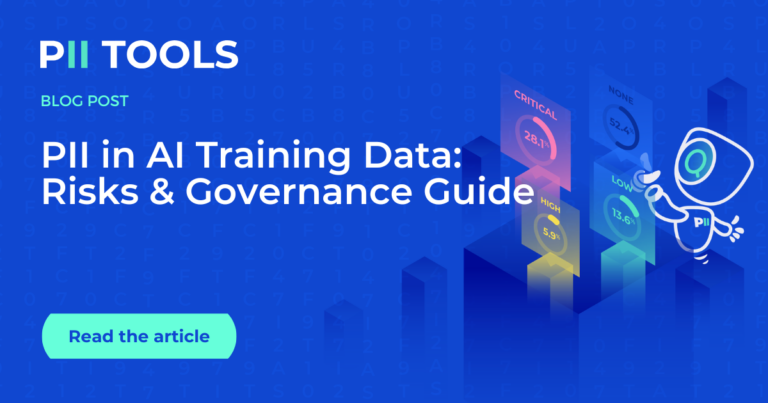
Key Takeaways PII can enter AI systems through training datasets, fine-tuning data, RAG sources, and user prompts. Language models can memorize aspects of their training data, making it important to identify and protect unnecessary PII before training. Unstructured data such as documents, emails, support tickets, and scanned files can contain PII that is difficult to identify at scale. Data discovery, … Read More
POPIA vs. AI Act vs. LGPD vs. GLBA for US Businesses
Key Takeaways U.S. businesses may face international privacy laws depending on where they operate and process data. GLBA protects financial information handled by covered U.S. financial institutions. LGPD and POPIA regulate personal data in Brazil and South Africa. The EU AI Act regulates AI based on risk and can also apply to U.S. companies. Data visibility is fundamental to compliance, … Read More
Gartner Report: Why AI-Ready Data Requires Data Discovery
Key Takeaways AI performance depends on the quality, accessibility, and organization of the enterprise data it can access. Dark data becomes a greater risk as AI systems make hidden information easy to discover. Access controls cannot identify sensitive information hidden inside documents that users and AI systems can access. Sensitive data discovery, context-aware classification, and remediation should be part of … Read More
HIPAA Compliance Checklist 2026: What US Healthcare Companies Need to Know
Key Takeaways HIPAA compliance begins with knowing where ePHI exists across structured and unstructured data. Continuous data discovery and context-aware classification help maintain an accurate inventory of sensitive healthcare information. Native OCR is essential for identifying ePHI hidden in scanned documents, medical forms, faxes, and image files. Automated remediation, including redaction, encryption, and quarantine, helps reduce the risk of unauthorized … Read More
AI Redaction in 2026: How Automatic PII Redaction Tools Actually Work
Key Takeaways Modern AI redaction combines machine learning, OCR, and contextual analysis to detect and protect sensitive information beyond traditional pattern matching. AI can only redact the data it can first discover, making native OCR essential for scanned PDFs, images, and other unstructured documents. Enterprise AI redaction should support Private Cloud, on-premises, hybrid, and air-gapped deployments to ensure zero data … Read More
PII Detection Tools Compared: What Works in 2026?
Key Takeaways PII detection tools help organizations identify, classify, and protect sensitive data across file shares, cloud storage, databases, emails, and AI workflows. The most important capabilities in 2026 include OCR support, AI readiness, automated classification, Microsoft Purview integration, and support for unstructured data. Different PII scanning tools are designed for different use cases, from Microsoft 365 governance and insider-risk … Read More
2026 HIPAA Security Update: Continuous ePHI Discovery
Key Takeaways The 2026 HIPAA Security Rule update emphasizes continuous ePHI discovery, requiring healthcare organizations to maintain ongoing visibility into where sensitive data resides – not just during annual risk assessments. Continuous data discovery helps reduce compliance risk by identifying hidden ePHI across file shares, cloud storage, email, endpoints, and other unstructured data sources. Organizations that continuously discover, classify, and … Read More
- Page 1 of 2
- 1
- 2