







Key Takeaways
- A PII audit identifies where sensitive personal data is stored and highlights security or compliance risks before they become incidents.
- Dark data, excessive user permissions, and misplaced files are common issues uncovered during internal audits.
- Performing regular in-house audits helps organizations prepare for regulatory assessments and reduce the risk of fines or data breaches.
- Automated PII discovery can scan hundreds of file types across on-premises, cloud, and hybrid environments without requiring specialized expertise.
- Detailed audit reports enable faster remediation through actions such as restricting access, quarantining, or deleting sensitive data.
Millions of companies suffer data breaches, ransomware, and regulatory fines every year. Don't let it happen to you.
Protect your company with a PII audit – but are you ready? This is everything you need to know to actually feel prepared.
What is a PII Audit
Let’s start from square one: What exactly is a PII audit? PII stands for Personally Identifiable Information. In other words, it’s any data or information that can be related to an individual, be it an employee, customer, partner, etc., ranging from names and addresses to the more serious passport information, health records, or financial identifiers.
All organizations are responsible for protecting their stored sensitive PII and private data. You may think you've already taken the necessary steps to ensure all the data in your company is secure, but there are many ways that information can fall through the cracks.
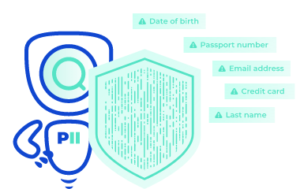
An in-house audit of all your company files, emails, and cloud will highlight any places holding PII that shouldn’t be, as well as any potential weaknesses (e.g., folders accessible by too many people, systems with poor security, and so on).
The Greatest Risk to Sensitive Data
Now, it’s safe to say that most companies, yours included, do their best to protect PII and store it in the correct locations. But you also have to worry about the people with access to these locations. In fact, humans are responsible for nearly 90% of all data breaches!
And the consequences for not protecting PII correctly can be devastating, especially for smaller businesses. It doesn’t take long to find examples of this in the news. Just ask Facebook… 763 million users left exposed and a $5 billion fine.
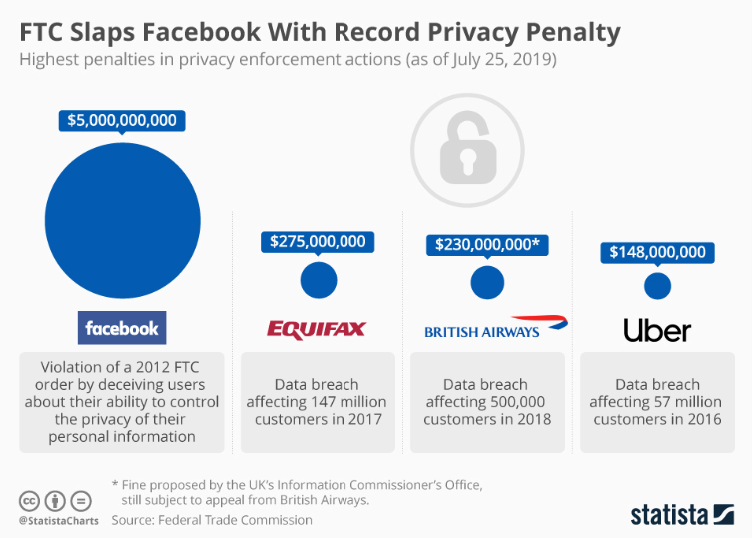
Source: Statista
Your organization may not be the size of Facebook, but you're still at risk of regulatory penalties. Oftentimes, company audits are scheduled without warning, so it’s always better to perform an in-house PII audit first and address any issues that may arise.
How to Perform In-House Audits
That’s where PII Tools comes in. This PII scanner automatically sifts through your data storages, searching for any red flags in the form of sensitive data, and even improves your internal processes to protect information and avoid data breaches.
And the best part is that PII Tools is user-friendly – zero specialized auditing or IT skills required. PII Tools is also air-gapped, runs either on-prem or on your personal secure cloud, and includes industry-leading features like the AI Data Protector and Person Cards®.
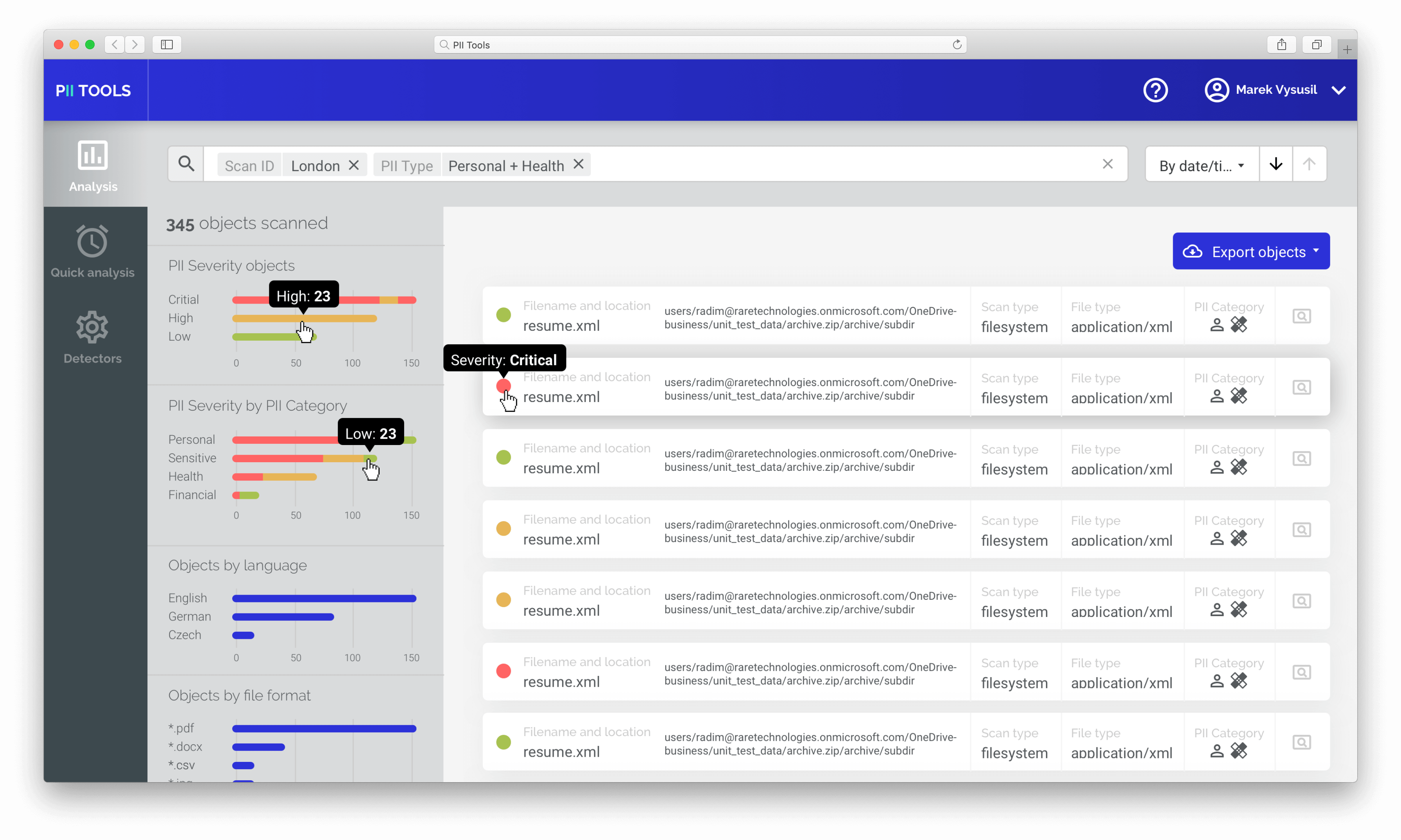
And it doesn’t stop there. PII Tools is capable of scanning over 400 different file types, from Office 365 to MacOS and everything in between. You'll also appreciate receiving detailed reports regarding your storage and the severity of the PII found there. This allows you to act without hesitation, delete or quarantine data, or limit the users who have access to it.
Avoid Your Next Data Breach
In-house PII auditing is more of a necessity today than ever before, especially with the increasing use of third-party AI models. Anyone caught still using their old protection techniques is at risk of leaving sensitive data unprotected and vulnerable to data breaches, subsequent fines, reputational loss, and more.
Get ahead of the curve and perform in-house audits right now with PII Tools. This highly accurate PII scanner automatically uncovers data compliance issues, alerting you to all potential risks and helping you organize information in a new, secure way. Use PII Tools to scan your files today and armor yourself for the future.
Get Hands-On Experience with In-House PII Auditing with a FREE PII Tools DEMO!
Download our AI whitepaper
Detecting Personal Names in Text
Frequently Asked Questions (FAQ)
What is a PII audit?
A PII audit identifies where personally identifiable information is stored and evaluates whether it is properly protected.
Why should organizations perform internal PII audits?
Regular internal audits uncover security gaps before they lead to data breaches, compliance issues, or failed assessments.
What types of data can be scanned?
PII Tools scans over 400 file types across structured and unstructured data, including documents, emails, cloud storage, and file shares.
Can PII Tools run on-premises?
Yes. PII Tools supports on-premises, Private Cloud, hybrid, and fully air-gapped deployments with zero data egress.
What happens after sensitive data is discovered?
Organizations receive detailed reports and can remediate risks by restricting access, quarantining files, deleting unnecessary data, or applying other security controls.
What is PII Tools?
PII Tools is sensitive data discovery software, so you can discover, analyze, and remediate PII across all your digital assets, on premises or on your Private Cloud. Schedule a FREE DEMO and secure your PII for good!